How to Play (and Beat) Minecraft

Universe Dragon
I want to make this a bit unlike my usual guides, which are usually a not very personalized list of 10 tips. Here's something for all the humans reading my guides. This guide works no matter which Minecraft version you're on. Also, this guide format was inspired by @porphyrion, because when I took a look at his Bloodborne guide, it was so good I knew I had to ramp up my quality a bit. So, thank you.
If you're playing Minecraft and stuck, or just want to play with a guide, first of all, don't feel bad. Those of you who have played Minecraft before may not have realized this, but it is basically impossible to figure out what you actually need to do. Minecraft just so happens to be the best-selling game in the world, so most of you have probably been exposed to Minecraft content before. Oh, and if you're having any issues, leave a comment and I'll help you out. Let's start from the very beginning of your world.
Creating your world
EVERYTHING in this section, except for the world name, seed, and allowing cheats, can be changed later. (If you're in Bedrock Edition, you're in the first half of this section. If you're in Java Edition, you're in the second half.) If you're in Bedrock Edition, you'll hit the Play button (first button vertically) upon loading up Minecraft. From there, select Create New World, and Create New World again. From here, the settings are up to you, but I'll give you some suggestions. I have capitalized the names of the settings to make them easier to see.
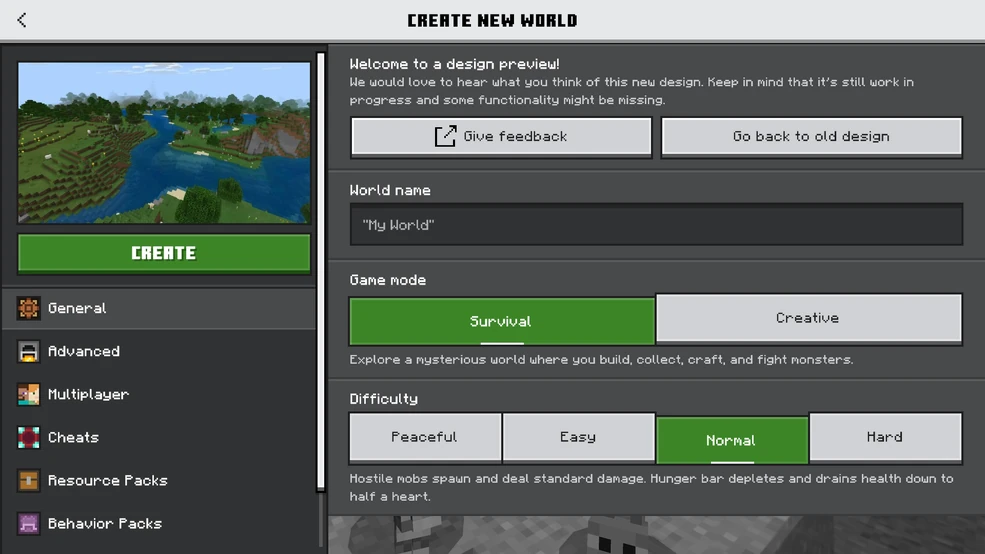
Name your world whatever you want, and keep the game mode on Survival. I highly recommend setting the difficulty to Easy or Peaceful, as these make the game a lot easier to get used to, and you can always change them later. Select the Advanced tab. You can generate a random seed (which determines where you appear in your world and what it looks like, but I highly recommend the Coastal Village seed (-125937210), as it gives you a safer and easier place to start out. I don't recommend turning on the Bonus Chest for your first time, because it takes away one of the first parts of the game. Definitely, absolutely turn on Show Coordinates. This allows you to keep track of where everything is in your world. Keep Recipe Unlocking on, you can turn Fire Spread off if you want to make it easier (less chance of destroyed forests), and the only other thing I'd adjust if you want in this menu is Immediate Respawn. Basically, you don't receive a "You Died!" screen and immediately respawn. You're pretty much golden from here, but there are one or two more things you can change if you want. Before we go into the Cheats tab, let me stress something really quickly. There are people out there who think turning anything on makes your run "invalid". You probably wouldn't satisfy those people by beating 100% of Elden Ring backwards, blindfolded, only using one hand, with 1 HP, Stamina, and MP, and permadeath. Basically what I'm trying to say, as we move into the Cheats section, is that you'll never satisfy everyone, and that's okay. Playing with Cheats on is normal, and unless you're competitively speedrunning it shouldn't matter. Video games are supposed to be fun, and however you make them fun is completely valid. Sorry, anyway... Go into the Cheats tab, and turn it on. This will disable Achievements (sort of like progress markers), so ignore this section if you want those. I highly recommend turning Keep Inventory on. That way, when you die, you don't drop and potentially permanently lose all your items. This is important - you're likely to die a few times. I also highly recommend turning Mob Griefing off, preventing explosive mobs from destroying all your hard work. Nothing else in here really needs to be changed. Once you've done all that, hit the Create button. Congrats, your world is ready! Head on to the next section, as the rest is for Java Edition Players. ________________________________________________________________________________ If you're in Java Edition, you'll hit the Singleplayer button, then select Create New World. Keep the game mode as Survival, but set the difficulty to either Easy or Peaceful, espeicallty if it's your first time. This tends to make the game a lot easier to get used to, and you can, of course, change it later. You'll notice the Allow Cheats button. I ranted a little about that in the Bedrock Edition section, but to sum it up: some people get mad when you use cheats because they think it makes the game 'invalid' or 'too easy'. Neither of which are a thing. Make video games fun for you however you enjoy them. Anyway, I recommend turning it on, unless you really want the game's Achievements (progress markers). Go to the World tab. The only setting you should touch here is the seed for the world generator. This basically controls what biomes (specific areas, such as Tundras and Grasslands) appear in your world and where you appear in your world. You can leave it blank or set it to my recommendation, -8545506294190437623, which puts you near a village, which usually has resources. Now go to the More tab. There's a lot of info in this tab, and I'll try my best to explain some of it to you and what it does. Unfortunately, if I tried to explain literally everything, we'd be here for years, so I have to stick to the relevant stuff. Hit the Game Rules button, and scroll down first to the Mobs tab, where I recommend turning off Allow Destructive Mob Actions, which prevents certain explodey mobs from destroying all your hard building work. Then, scroll one section down to the Player section. I recommend turning on Keep Inventory After Death, preventing you from dropping and potentially permanently losing all your items when you die. You can also turn on Respawn Immediately if you want, skipping the death screen. That's all you need to do there, but feel free to change some more (you can hover over the buttons to learn what they do). After all that, you're done! Move on to the next section below.
Starting out
From here, press either the escape key or the icon with the three lines or the + button or the options button, and hit save and quit. Then, select play or singleplayer, and select your world again. Now you know how to leave when you're done for the day. Now it's time to get down to business. If you spawned on a hill, try to get to the top and look around. Your first priority should be finding wood.
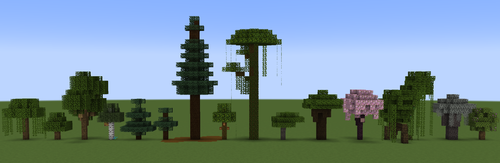
Get at least 4 logs, and craft them into planks (put them into the crafting squares in your inventory); you'll want a crafting table, sticks, and at minimum a wooden axe and pickaxe. Both recipes need two sticks and three planks. If you're not sure how to craft them, look to your left: there will be recipes along with a search bar and toggle for craftable recipes. I also highly recommend crafting a wooden shovel for this next part and a wooden sword in case you come across any animals.
If you encounter animals (such as pigs, sheep, or chicken), you can kill them to get raw meet, which can then be cooked in a furnace (8 cobblestone + a fuel source, like coal). Alternatively, you can use a hoe near water and plant seeds to grow edible crops.
Once you've gotten wooden tools, your next task is to find stone. You have two options here: first, you can dig down in a staircase pattern (you should never dig straight down, as you risk digging into a cave or lava. This is known as the "Golden Rule of Minecraft") to try and find stone, or you can just find it naturally. Whichever way you choose, get around 20 stone so that you're well-prepared. You may need more wood for sticks here. Make a furnace for later. If you're running low on inventory space, toss out your old wooden tools, as you won't need them anymore. Now, you'll want to find yourself a home. From here, you can either search for a village or find a place you like to build your base. I just steal villagers' houses a lot of the time, to be honest. Either way, you will probably eventually want your own place. Be creative! Minecraft is a sandbox game for a reason. The only limit is your imagination!
If you want some inspiration for your base, take a look at this nice website: https://www.grabcraft.com/minecraft/starter-houses
Advancing further
By this point, you're actually pretty far in the game, even though it might feel like you've just started. I know that's how it was for me, at least! Before you continue this guide, I very much encourage you to do a creative project on your own, like building a farm, an extension to your base, or whatever you like. That is the core of Minecraft, after all! Anyway, next you'll want to prepare for some longer-term projects. You can just go out and mine somewhere, but you'll probably want to come back to this one, so you should make it nearby your base. Dig down in a staircase pattern until you either find a cave (this is ideal, as you're more likely to find a ton of ores in a cave) or reach y-level 15 (you can check by enabling show coordinates or F3). If you reach y-level 15 without finding a cave, start mining in one direction. In total, you'll want at least 31 raw iron, which you can then combine with coal (place your coal in the bottom slot of the furnace and the raw iron in the top slot) to smelt into iron ingots. You want at least 31 ingots for full iron armor, an iron sword and pickaxe, and a shield. Get more if you can. If you encounter diamonds (bright blue, the dark blue is lapis lazuli, used for enchanting), pick them up, but keep in mind that they can only be mined with an iron pickaxe, so don't try to mine them with a stone pickaxe or you will sincerely regret it. A lot of monsters will spawn in caves unless you're on Peaceful difficulty. To dampen some of the spawning, place torches: hostile mobs cannot spawn if it's bright enough. This is why mobs don't spawn in the day. This is also a good time to brush up on your combat skills, and maybe kill a few skeletons for both potentially a bow and bones, which you can use to tame wolves, who will follow you around and attack mobs that you attack or that attack you.

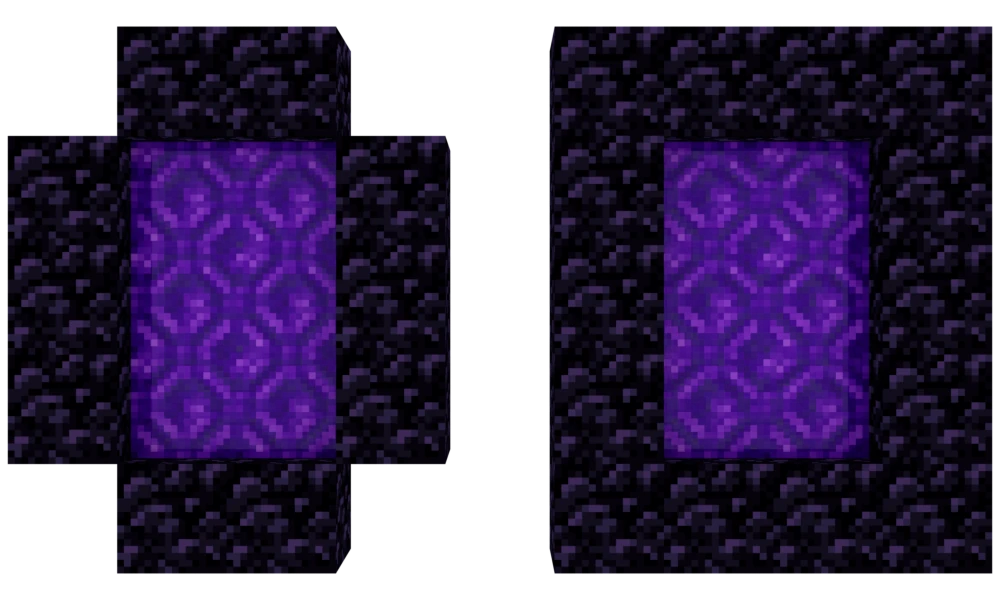
Another thing you'll want is a ton of chests. By now, you'll have quite a bit of stuff, and you might want to organize it. I always just put signs above my chests, but you might want a more sophisticated system. You might even want to look into highly optimized methods for quickly creating certain resources, known as 'farms'. I'm unfortunately not an expert in this area, but there's a plethora of YouTube tutorials for building farms for... well, pretty much anything. Once you've done all that, it's time to start getting prepared for your next major jump. You'll want some gold armor, probably a helmet or boots (it breaks easily, so be careful!). Then, you'll want at least 10 obsidian. You can pour water over lava or find a Ruined Portal. Lastly, you need a flint and steel, crafted with one iron ingot and one flint, which is aquired literally by mining a bunch of gravel until you get flint. Then, assemble it into a vertical rectangle like in the image below, light it, and enter... the Nether.
The Nether
If you spawn in a cave, mine out until you can see the environment around you. Keep a very close eye on the ground, though! I'm almost 100% sure this area was based off of hell. There's fire and lava everywhere, flying explodey ghosts, and evil humanoid pigs who will attack you unless you're wearing at least one piece of gold armor. Not to mention the normal evil pigs. There's a lot of stuff here, and it's obviously pretty dangerous, but you're here for two things: blaze rods and ender pearls. Starting off with blaze rods, you'll need to find a Nether Fortress. They can be a bit hard to see, but they're dark red, if... if that helps. Because what's not a shade of red around here other than the basalt?
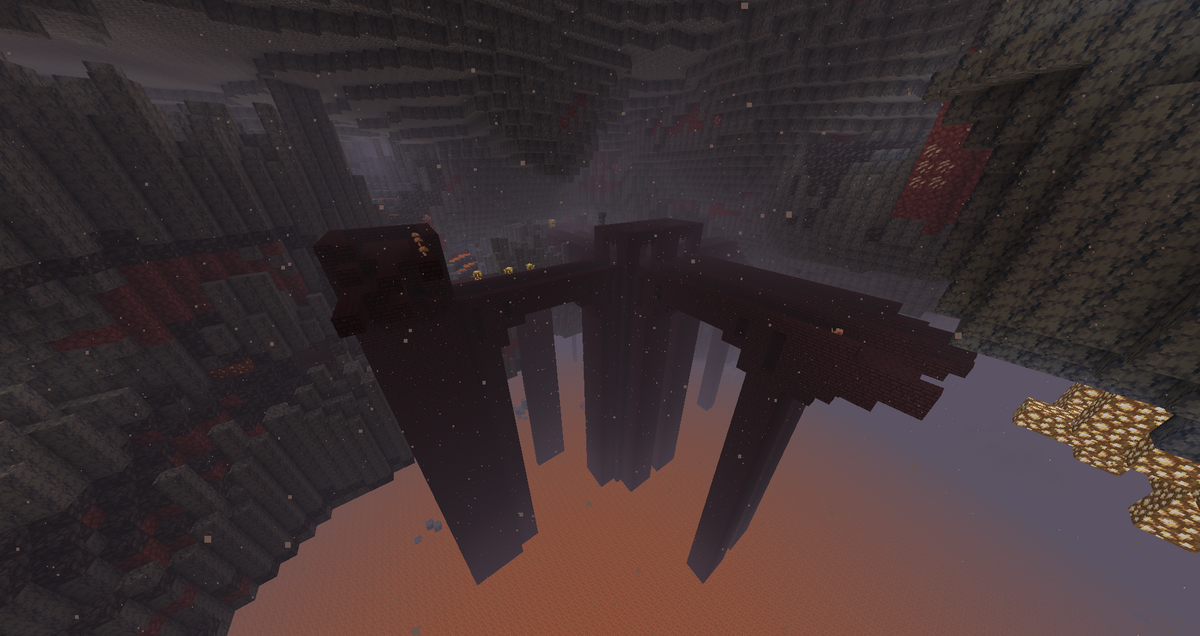
Oh, and DO NOT attempt to set your spawn with a bed. Beds function like instant TNT in the nether. TRUST ME on this one.
When you find one (which could take a while, be prepared for the possibility of death), you're looking for blazes, which look like floaty yellow ghosts and typically all spawn from one area. Keep an eye out, however, for wither skeletons, the gray equivalent of the Overworld skeletons, except with swords instead of bows. Be careful, as not only are they stronger, but if they hit you, they will inflict Withering, which will deal damage to you for a few seconds. It's easy for them to gang up on you, so if there's too many, try to run to an area with a roof and hurriedly block off the path. Wither skeletons are 3 blocks tall (as opposed to the player's 2), so you can fit through areas they can't. There's also some chests in the Fortress, along with nether warts, a unique crop: feel free to pick those up if you've got the inventory space. Once you've found the blaze spawner, get at least 7 blaze rods, more if you feel safe doing so. After that, get out of there. There's another structure in the nether called a Bastion. It's a large, gray brick structure dominated by Piglins, and you can find both netherite upgrade templates and actual netherite ingots. Netherite is the final upgrade material after diamonds, making your stuff both stronger and fireproof (this includes armor, making you very nearly fireproof)! I will not be going over netherite in this guide, but I encourage you to research it, along with enchanting, independently. The last thing you're in the Nether for is ender pearls. You have two options here (technically three): you can either give Piglins gold ingots and hope they trade you ender pearls, or you can go to a warped forest and try to kill endermen there. You can also try to find and kill endermen in the Overworld, though they spawn much more commonly in Warped Forests. Endermen are tall, black mobs with purple eyes. They become aggressive when attacked or looked at in the eyes (though this can be prevented by wearing a carved pumpkin... if you want to, I suppose), are vulnerable to water, and can teleport. The easiest strategy to defeat them is to make a ceiling directly above you. Like wither skeletons, endermen are 3 blocks tall, so you can hide under your ceiling and hit them. You can also block their attacks with a shield, as for everything else. Once you're done with all that, get out of the Nether for now. This place is dangerous!
The End
It's time to finish the game. Start (and finish!) any projects you may have, and probably get full diamond armor and tools. When you're ready, craft your blaze rods into blaze powder, and combine them with ender pearls to make at least 12 eyes of ender. You'll want to take with you a bed, a full set of iron (or diamond if you have the patience to get it) armor and tools, a bow and a lot of arrows, a water bucket, a chest, a bunch of food, maybe a boat, and probably leave your pet at home. This gets dangerous. Toss the eye of ender (right click, not q), pick it back up (unless it breaks) and go in that direction. Toss another one every couple hundred blocks or so. At some point, it may go backwards. Follow it back until it goes nearly straight through the ground, then dig down: the Stronghold is below you. Moving through the Stronghold, you'll find mobs, chests, and (eventually) the portal room. Break the silverfish spawner and kill any silverfish. Then, set up your bed and chest, put your spare armor, tools, and food in the chest, and set your spawn with the bed. Once you're ready, place the eyes of ender in the empty portal frames, and go through the portal to enter the End.
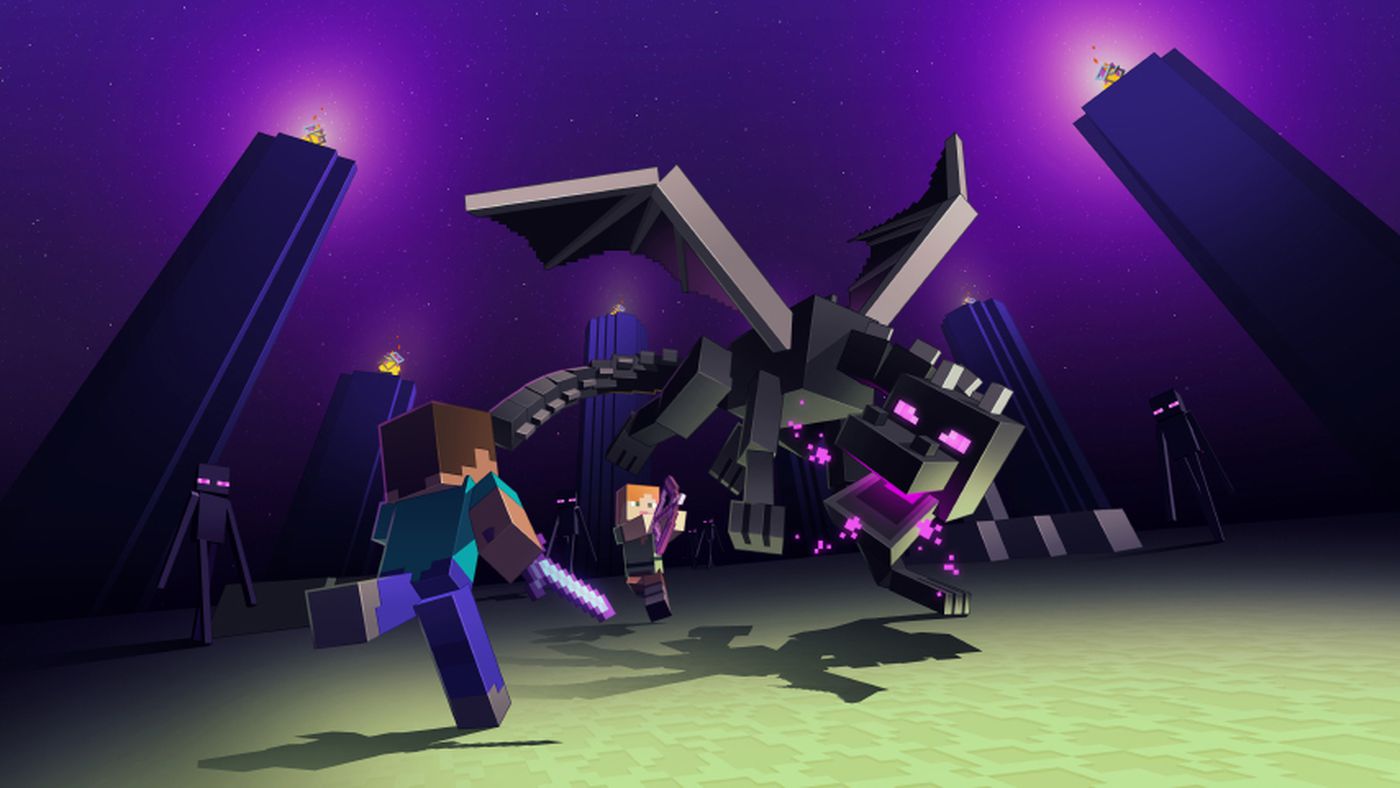
You'll spawn either on a platform a few blocks away from the main End island or inside the island. Either way, mine up and prepare to defeat Minecraft's final boss - the Ender Dragon. There's quite a few Enderman in the end, so be ready for that. If you look at one accidentally, you can either build a ceiling or just place your water bucket down. Your first objective is to destroy the end crystals on the towers, as if those are active, the Ender Dragon will quickly heal after taking any damage. Either repeatedly put down and pick up the water from your water bucket to climb to the top, then attack the crystal, tower up with blocks, or shoot at it with your bow (or try to use ender pearls to teleport to the top). Two of the crystals are in iron cages, which you can either try to shoot through very precisely or try one of the methods above. Once you've destroyed the crystals, you just have to defeat the Dragon. The Ender Dragon will frequently come to perch near the top of the bedrock structure in the middle of the End (the portal back to the Overworld). A common speedrun strategy is to blow up beds (they function the same as in the nether), but you don't need to do that, you can just attack it with your weapons. Keep your shield up and be prepared in case it launches you away (seen plenty of people die to that), while also keeping an eye out for its breath attack, in which case you should get out of its range immediately. Once you've taken down the Ender Dragon, and this may take a few tries... you've done it. You've beaten Minecraft! Congratulations!
Don't forget to pick up the dragon egg. Touch it and it teleports. Mine two blocks beneath the egg, then place a torch. Break the block below the egg so that it falls onto the torch.
Thanks for going through this journey of Minecraft, and if you have any questions along the way or now, at the end, or any other feedback in general, please let me know!
There is a lot of side content (Wither, Trial Chambers, warden, etc.) that I didn't cover in this guide, so let me know if you want to see it in the future.
Comments
Sign in to leave a comment.
Enjoying this guide? Sign up free to track your progress and earn XP.
Sign Up Free